Manage dataset access
This topic explains how to share datasets with one or more workspaces and manage access to your organization's data.
Share datasets with workspaces
To share datasets with workspaces you're a member of:
- Navigate to the Data Management page and select the datasets you want to share.
- Click the Share with workspace button.
- Choose one or more workspaces from the list and click Share.
- Confirm the schema and description will be shared with the selected workspaces.
Info
The data itself remains encrypted—it’s never moved or decrypted during sharing.
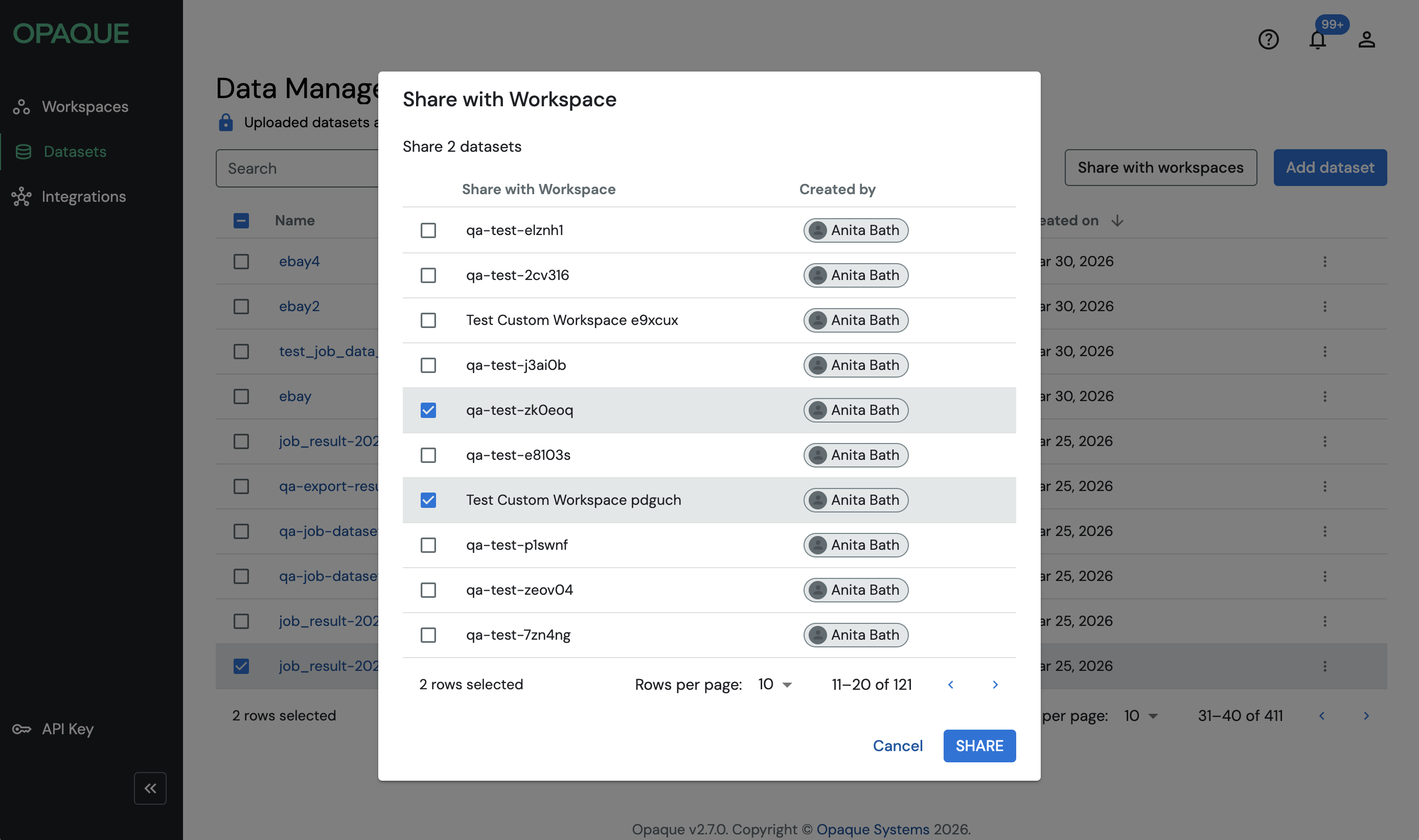
Once shared, the datasets will be available for use in jobs in the specified workspaces.
Test data sharing
When you provision a dataset, a test dataset is automatically generated based on your selected test data option.
- Each dataset can have one test dataset, which is shared alongside the schema and description.
- Workspace members can use test datasets to develop jobs securely and efficiently without accessing the original data.
See where a dataset is shared
- On the Data Management page, click the More icon () on the right to open the dataset’s General Information view.
- The panel displays the list of workspaces that have access to the dataset via approved jobs.
Revoke dataset access
To revoke dataset access from a workspace:
- Navigate to the Data Management page.
- Click the More icon () in the dataset's row.
- In the General Information panel, under Associated workspaces, click Remove next to the workspace name.
Alternatively, you can revoke access to a shared dataset from a workspace:
- Open the workspace.
- Switch to the Datasets tab.
- Select the dataset, then click Revoke datasets in the top right of the table.
Note
You can only revoke data access to datasets that you uploaded.
Revoking access prevents any jobs (new, existing, or pending) in the workspace from using the dataset. It also blocks access for any pending jobs that have not yet been executed.